Vue3 项目中实现“电梯”效果,快速实现锚点导航功能
本文记录了 Vue3 项目中实现锚点导航的方案。普通页面可以直接使用 CSS 的 scroll-behavior,但在 Hash 路由项目里,浏览器默认锚点行为容易和路由冲突,因此改用 JavaScript 控制滚动。点击导航时用 scrollIntoView 定位到对应内容区,内容区进入视口时用 IntersectionObserver 更新左侧选中状态。文章给出 LineTime 组件代码,并说明右侧内容需要提供稳定的唯一 id。
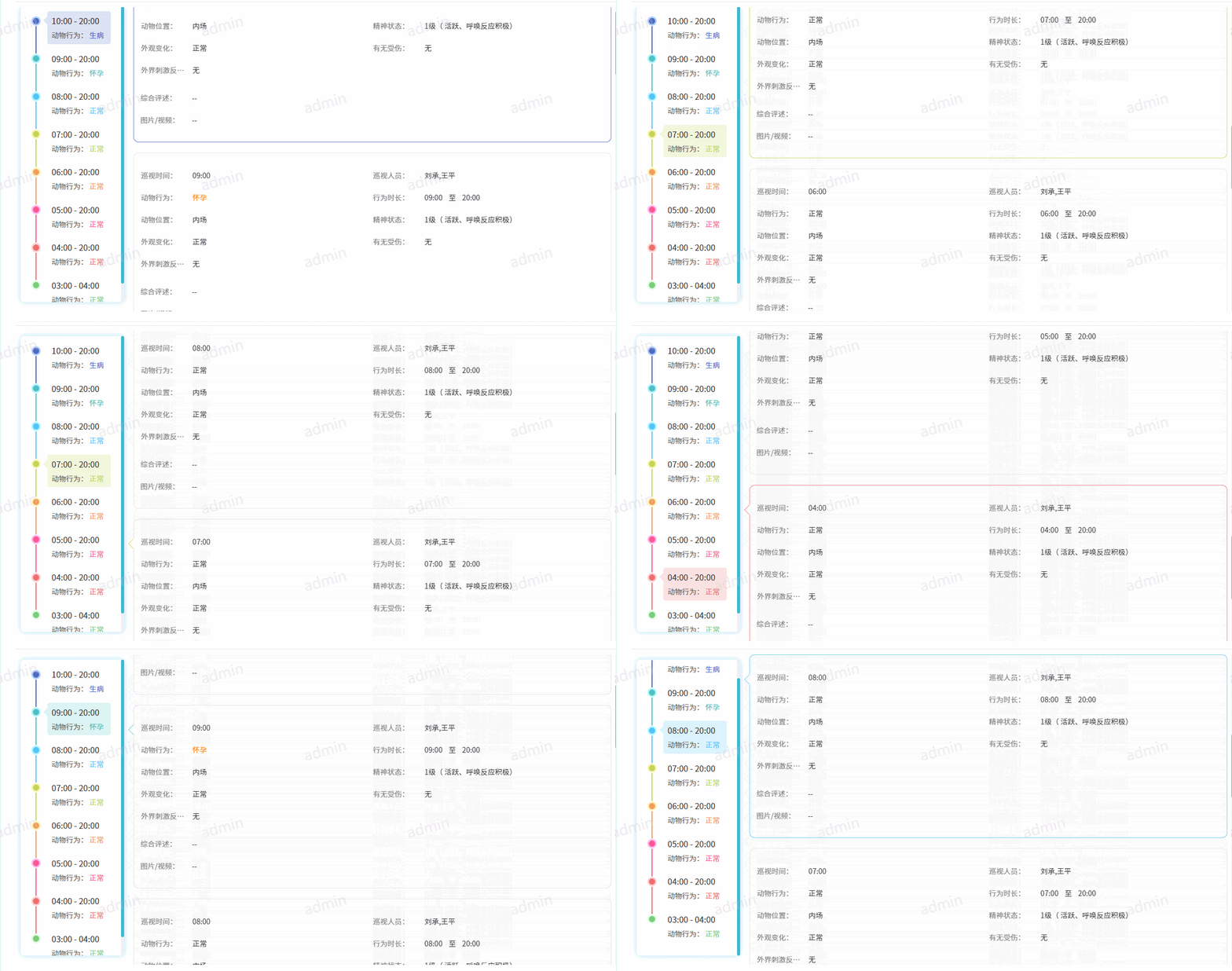
项目里有一个常见需求:左侧是时间线或目录,右侧是具体内容。点击左侧某一项,右侧滚动到对应区域;用户手动滚动右侧内容时,左侧也要同步高亮当前区域。
这种交互有点像商场里的“电梯导航”,本质上就是锚点定位和滚动监听的双向联动。
最终效果大概是这样:
什么时候可以只用 CSS
如果项目没有使用 Hash 路由,最简单的方案其实是原生锚点配合 CSS:
html {
  scroll-behavior: smooth;
}
相关文档可以看 scroll-behavior。
但我这个项目使用的是 Vue Hash 路由。URL 里的 # 本身已经被路由使用了,再用原生锚点容易和路由行为混在一起,所以这里没有走纯 CSS 方案,而是用 JavaScript 主动控制滚动。
需要实现的两个能力
这个组件主要做两件事:
- 点击左侧导航,右侧内容平滑滚动到指定位置。
- 右侧内容滚动到视口中时,左侧导航自动更新选中状态。
对应到技术实现:
- 点击定位用
scrollIntoView。 - 滚动监听用
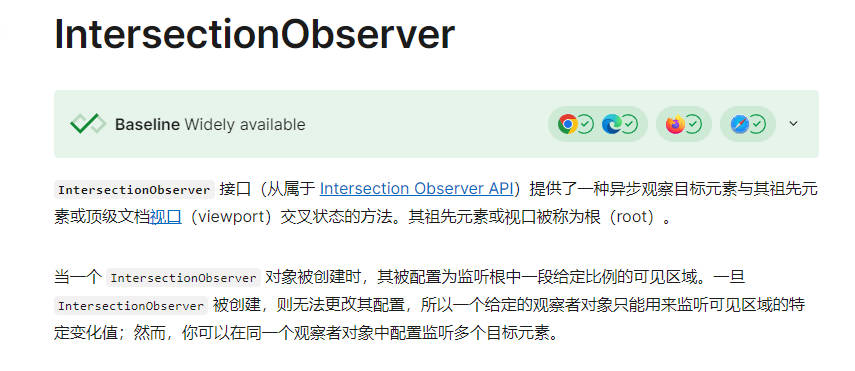
IntersectionObserver。
scrollIntoView 负责“我点了哪个,就滚到哪个”:
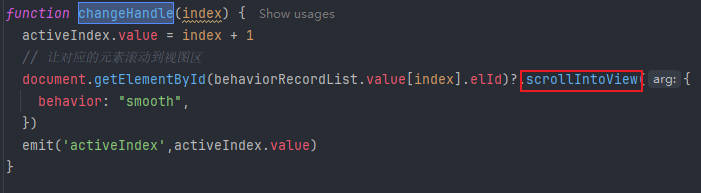
IntersectionObserver 负责“现在滚到哪个,就高亮哪个”。
组件设计
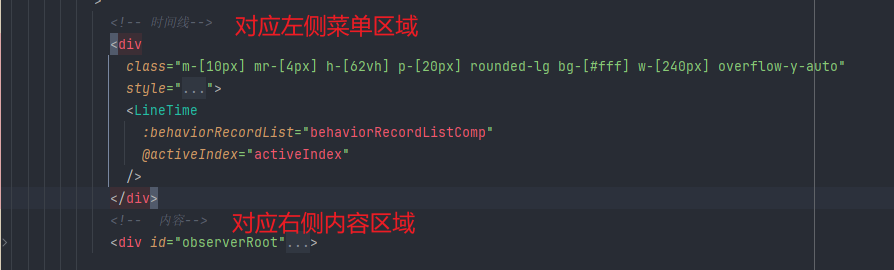
我把左侧时间线封装成了一个 LineTime 组件。右侧内容由业务数据渲染,每一块内容都需要有一个唯一 id,左侧数据里保存对应的 elId。
整体关系是:
- 左侧点击某一项时,根据
elId找到右侧 DOM。 - 调用
scrollIntoView({ behavior: "smooth" })平滑滚动。 - 页面加载后,把右侧每个内容块交给
IntersectionObserver监听。 - 当某个内容块进入视口时,更新
activeIndex,并通知父组件。
项目里的组件封装如下:
LineTime 组件代码
<!--
 @Author: Laucher
 @Date: 2024/7/29
 @Description: 時間綫組件
-->
<template>
  <n-timeline :icon-size="20">
    <n-timeline-item
      v-for="(item, index) in behaviorRecordList"
      :key="item.id"
      :style="{
                    '--n-line-color': getColorByLevel(index),
                    '--n-line-color-thin': darkenColor(getColorByLevel(index),100),
                    '--n-line-color-op': hexToRgba(getColorByLevel(index),0.2)
                  }"
    >
      <template #icon>
        <div
          class="circle border-[3px]"
          :style="`background: var(--n-line-color); border: 3px solid var(--n-line-color-thin)`"
        ></div>
      </template>
      <template #default>
        <div
          class="px-[8px] py-[8px] -mt-[10px] rounded cursor-pointer "
          :class="{
                          'circle-active': activeIndex == index + 1,
                         }"
          v-for="(v) in item.detail_json"
          :key="v.id"
          @click="changeHandle(index)"
        >
          <div
            v-if=" v.id === 'FeedFecalCollectionTour' && v.options?.partOptions.time"
            class="text-[#333] text-[14px] 2xl:text-[16px] mb-[10px]"
          >
            {{ v.options?.partOptions.time }}
          </div>
          <div v-else class="text-[#333] text-[14px] 2xl:text-[16px] mb-[10px]">
            {{ v.options?.partOptions.times[0] }} - {{
            v.options?.partOptions.times[1] }}
          </div>
          <div class="text-[#666666]">
            <span class="text-[#666666]">
              {{ v.options?.partOptions.title.label }}:
            </span>
            <span :style="`color: var(--n-line-color)`">
              {{ v.options?.partOptions.title.value }}
            </span>
          </div>
        </div>
      </template>
    </n-timeline-item>
  </n-timeline>
</template>

<script setup lang="ts">
  import { useColorByLevel } from "@/hooks/useColors";
  import { onMounted, ref, toRefs } from "vue";

  const { getColorByLevel, darkenColor, hexToRgba } = useColorByLevel();

  const activeIndex = ref(1);

  const props = withDefaults(
    defineProps<{
      behaviorRecordList: any;
    }>(),
    {
      behaviorRecordList: [],
    }
  );

  const { behaviorRecordList } = toRefs(props);

  const emit = defineEmits(["activeIndex"]);

  function changeHandle(index) {
    activeIndex.value = index + 1;
    // 让对应的元素滚动到视图区
    document
      .getElementById(behaviorRecordList.value[index].elId)
      ?.scrollIntoView({
        behavior: "smooth",
      });
    emit("activeIndex", activeIndex.value);
  }

  function changeActive(els) {
    // 我们不需要做任何事情。
    if (els[0].intersectionRatio <= 0) return;
    if (els[0].isIntersecting > 0) {
      let index = behaviorRecordList.value.findIndex(
        (item) => item.elId == els[0].target.id
      );
      if (index != -1) {
        activeIndex.value = index + 1;
        emit("activeIndex", activeIndex.value);
      }
    }
  }

  onMounted(() => {
    let observer = new IntersectionObserver(changeActive, {
      root: null,
      threshold: 1,
    });

    behaviorRecordList.value.map((item) => {
      let el = document.getElementById(item.elId);
      el && observer.observe(el);
    });
  });
</script>

<style scoped lang="less">
  .circle {
    width: 18px;
    height: 18px;
    border-radius: 50%; /* 设置为圆形 */
  }

  .circle-active {
    position: relative;
    background-color: var(--n-line-color-op);

    &::before {
      content: "";
      position: absolute;
      width: 0;
      height: 0;
      border-top: 8px solid transparent;
      border-bottom: 8px solid transparent;
      border-right: 8px solid var(--n-line-color-op); /* 三角形的颜色 */
      left: -8px;
      top: 10px;
    }
  }
</style>
右侧内容需要稳定 id
这个方案能不能稳定工作,关键在右侧内容区。
因为左侧点击时会通过 document.getElementById(item.elId) 找到对应 DOM,所以右侧每一块内容都必须设置一个稳定、唯一的 id。这个 id 要和左侧数据里的 elId 对得上。
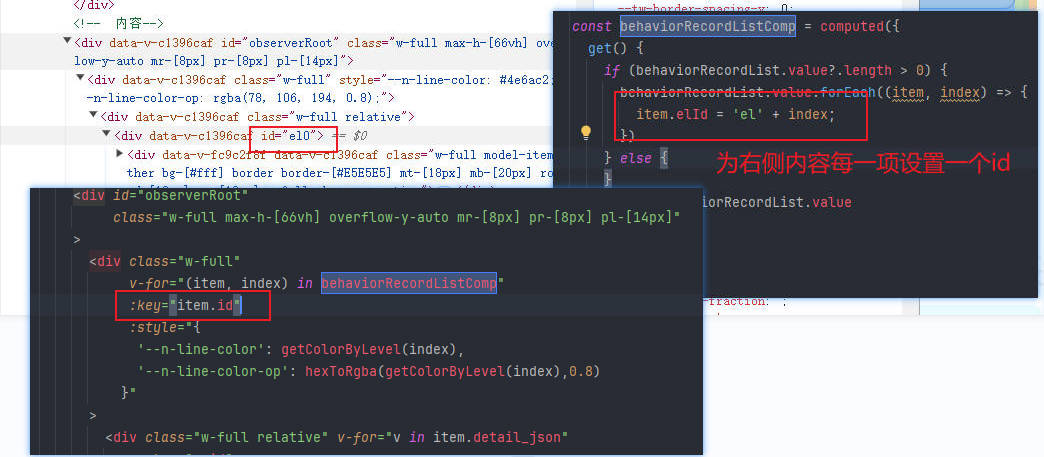
如果右侧内容是接口返回后动态渲染的,建议在整理数据时就把 elId 一起生成好,避免模板里临时拼接导致两边不一致。
注意点
这个实现已经能满足大多数“电梯导航”场景,不过实际项目里还有几个细节可以按需调整:
- 如果页面顶部有固定导航栏,可以给右侧内容块加
scroll-margin-top,避免滚动后被遮住。 IntersectionObserver的threshold会影响高亮触发时机,内容块高度差异很大时可以适当调低。- 如果组件卸载频繁,建议在
onBeforeUnmount里断开 observer,避免不必要的监听残留。
整体思路并不复杂:点击时主动滚动,滚动时反向更新导航。把这两件事分清楚,锚点导航就很好维护。